Easy Zoning [EZ] v1.0.6
Custom zoning for new and existing roads. New alternative to Zone Tools.
How to use
New Road
– Open Roads panel (i.e., pick small roads)
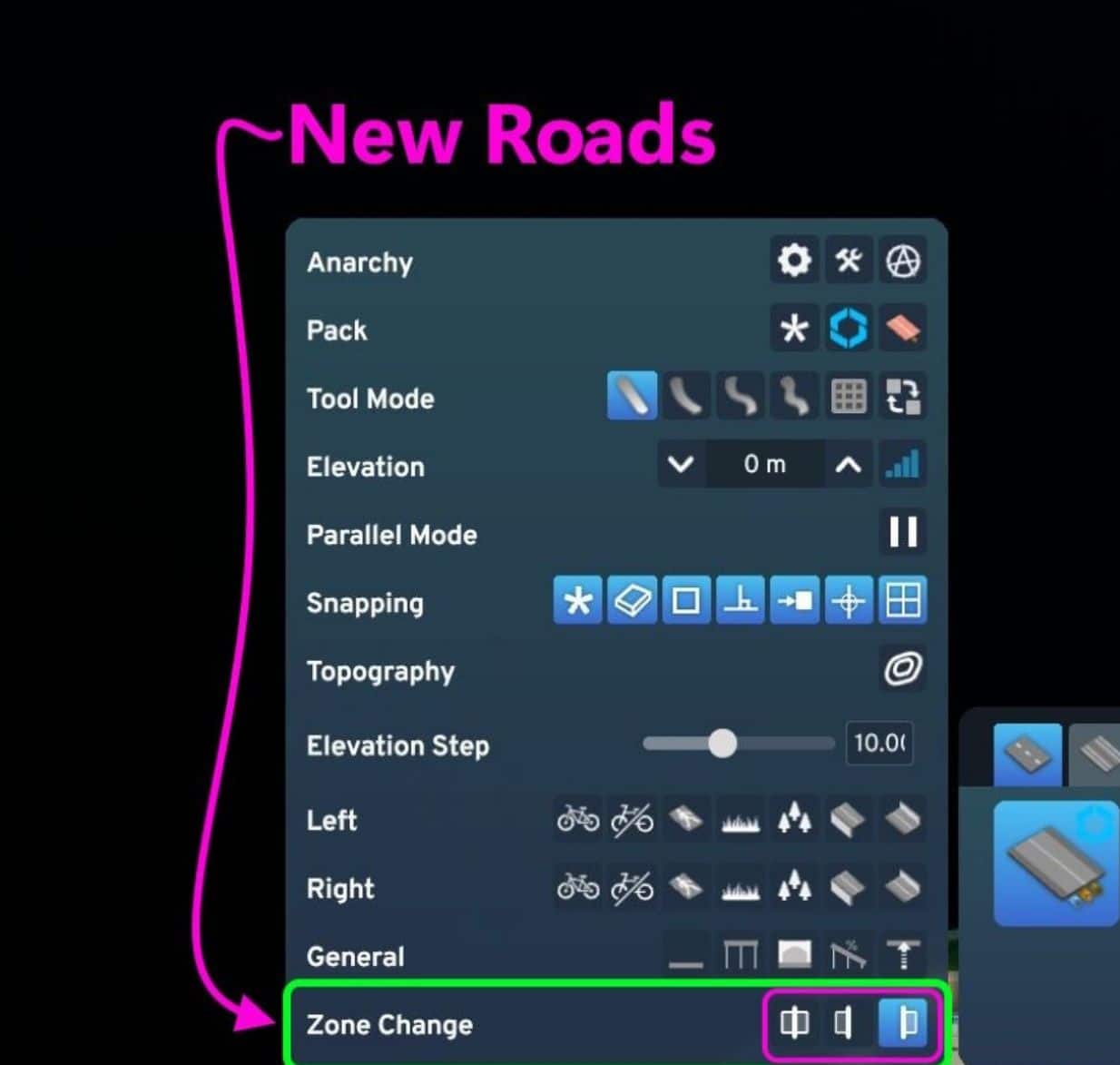
– In the road tool panel, pick one of 3 EZ icons (see image).
– Draw as usual (road appears with cells on one side or no-sides if the 3 icons are flipped off).
Existing Road
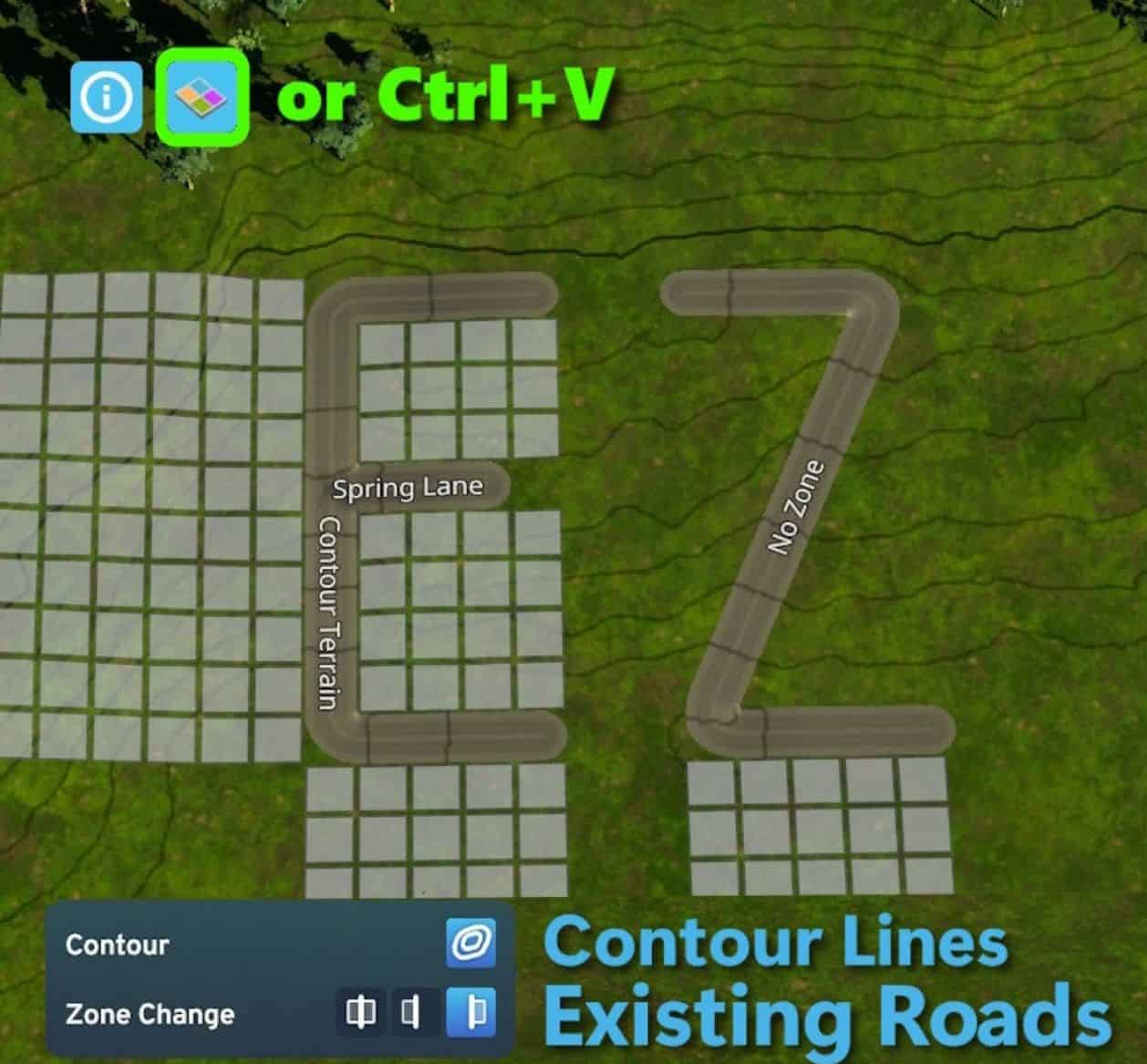
– Open EZ Update panel: Ctrl+V toggles panel On/Off (top-left icon does the same).
– Select an icon to pick a zone side (see image).
– Hover and preview a road.
– Right-Click on roads to switch sides (infinitely); cycles Both → Left → Right → None →…
– Left-Click (LMB) to apply (lock it in).
– Or LMB hold+drag along many road sections, release Left-mouse to apply.
– To Cancel, just move mouse away and release LMB.
– Optional bonus: Contour Lines terrain toggle
Options Menu
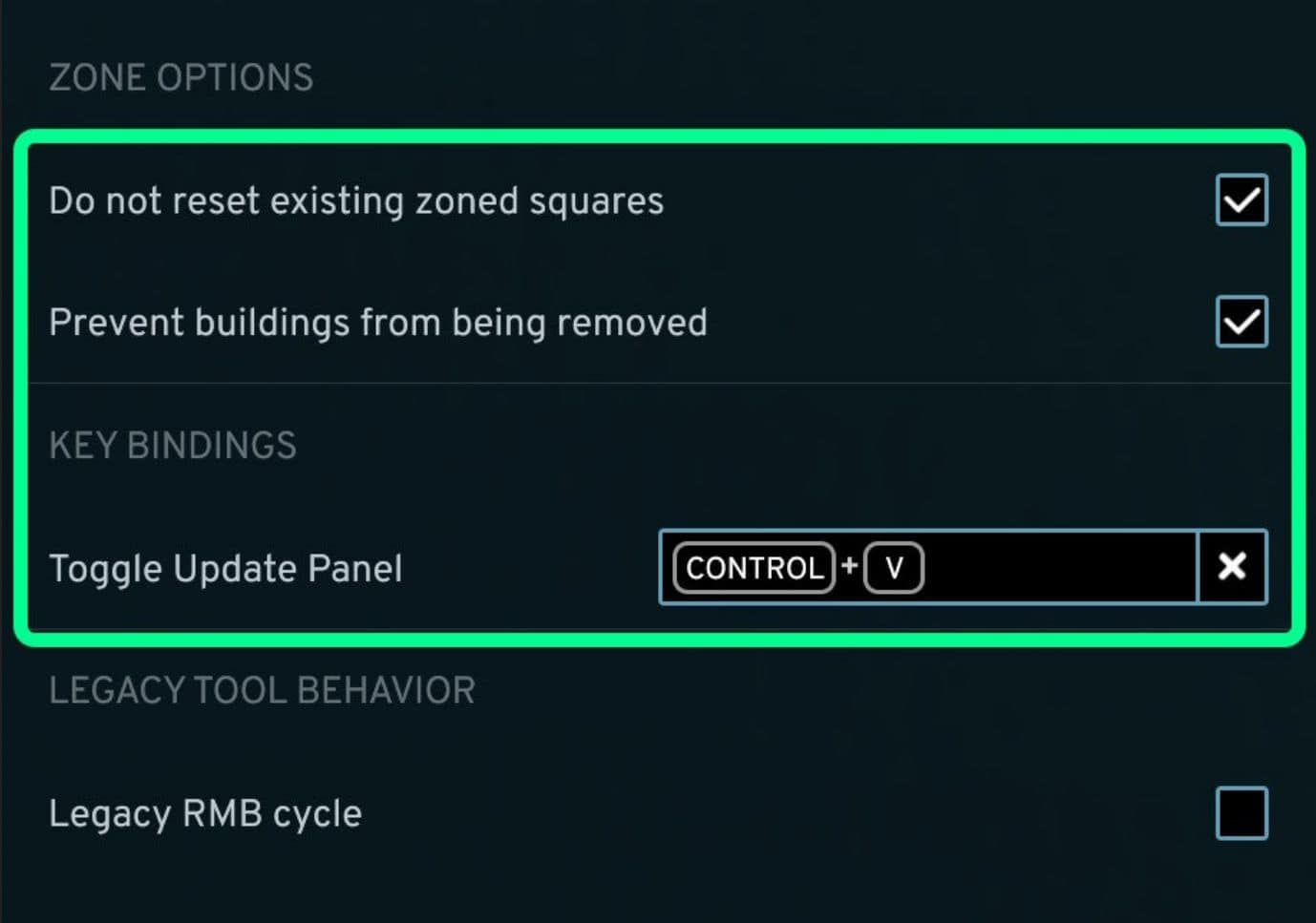
– Protect occupied cells (buildings).
– Protect zoned-but-empty cells.
– Ctrl +Z short-cut can be changed (it opens/closes the EZ panel fast)
– Legacy RMB mode (optional): this toggles Only Left↔Right Or Both↔None instead of full 4-cycle option. (means you have to click panel icon to swap to set A or set B).
Support and feedback
– If mods help, give it a Like, it’s free + easy
– Feedback to GitHub or Discord links on this page.
– quick video by Erdgeist on youtube.
Power Trick: if you have existing roads and do not want a new road intersecting it to flip zoning, pick none, then draw the new road. Your existing road should keep zoning facing the same original direction you set.
Compatibility
– Extends vanilla UI; no harmony patch (more stable and compatible, esp. patch days).
– Safe to remove any time. Road you zoned will keep their zoning.
– Should work with Platter mod.
– Lightweight, optimized, runs only when needed.
– If you have Topo Toggle mod, then the contour button in this mod is disabled.
– EZ mod is similar to “Zone Tools” or old ART mod with different UX. I had both EZ + ZT installed to switch back/forth for testing.
– Recommend: pick one you like more to avoid any unknown/unforeseen future conflicts. Both use the same game systems, can accomplish the same goal. ZT is older, has a moveable panel; EZ is the newest mod with more features: contour button + uses vanilla tool panel + sounds, and tidy.
Tech notes
– For newly drawn roads, “Left/Right” is relative to the segment’s orientation. At some diagonal angles ↖||↗ it may apply flipped from what you want — use RMB to swap.
– Highlight outline color on the road indicates the section could be changed. No outline means it’s already changed to the current selected option.